
QuickBooks Online integration
From Sunday giving to organized books.
Record contributions in Mutual Covenant, review your giving batches, and send approved records to QuickBooks Online—without entering the same information twice.
QuickBooks Online integration included with every plan. A separate compatible QuickBooks Online subscription is required. There is no additional Mutual Covenant integration fee on any plan.
The Sunday-to-Books workflow
- Connect. A church owner or finance administrator clicks Connect to QuickBooks and signs in on Intuit's own page. Mutual Covenant never asks for your QuickBooks password. Each church connects only its own QuickBooks company.
- Map funds. Choose the QuickBooks income account (and, optionally, class) for each fund, plus your deposit account and a sync start date so older history is never imported by accident.
- Review giving. Closed giving batches and completed weeks of giving appear in one list, with totals by fund and payment method.
- Send to QuickBooks. The treasurer sees exactly what will be posted and approves it. Nothing is sent without that approval.
- Confirm results. Each transfer shows what QuickBooks recorded, with references, and a printable reconciliation summary.
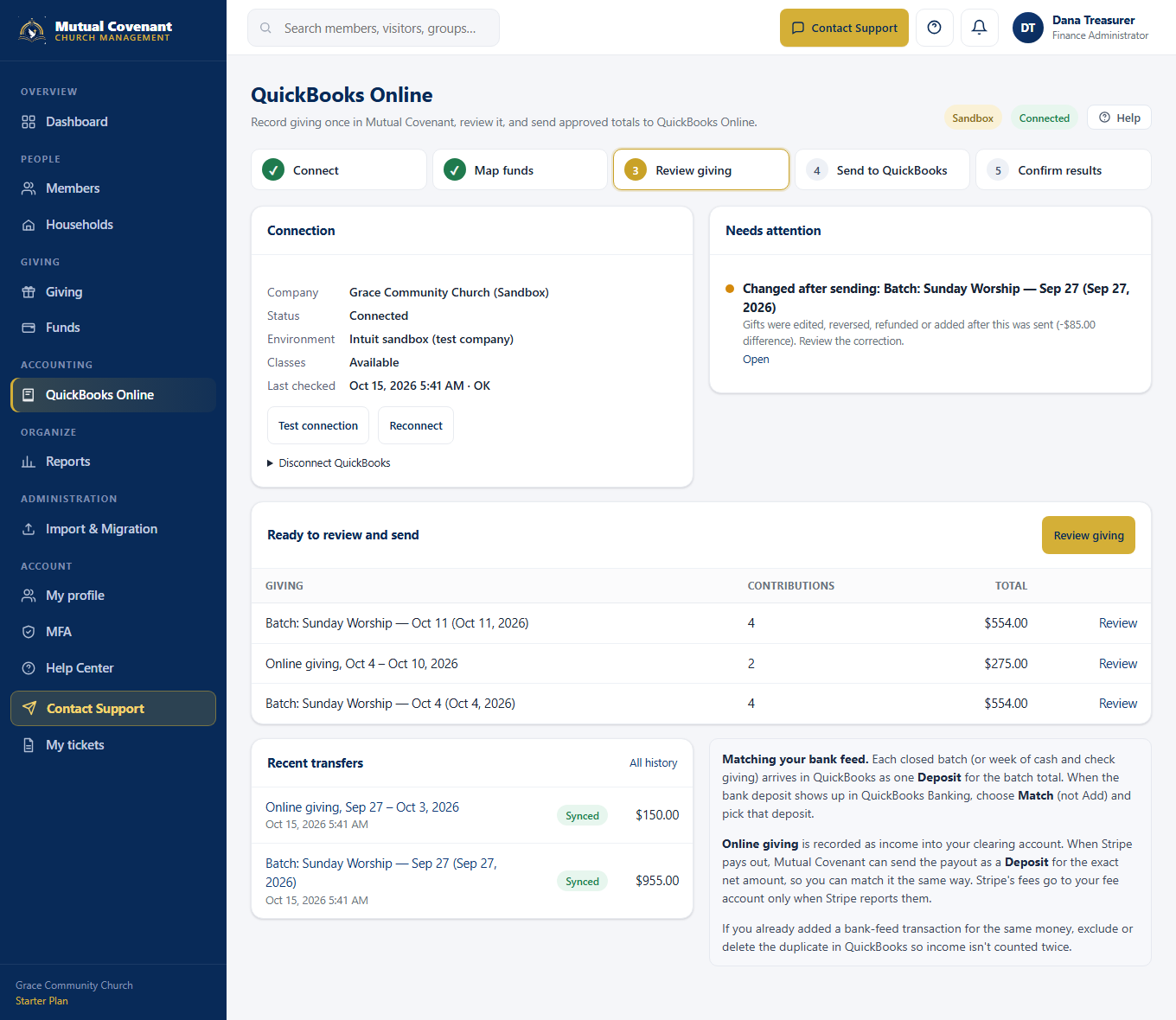
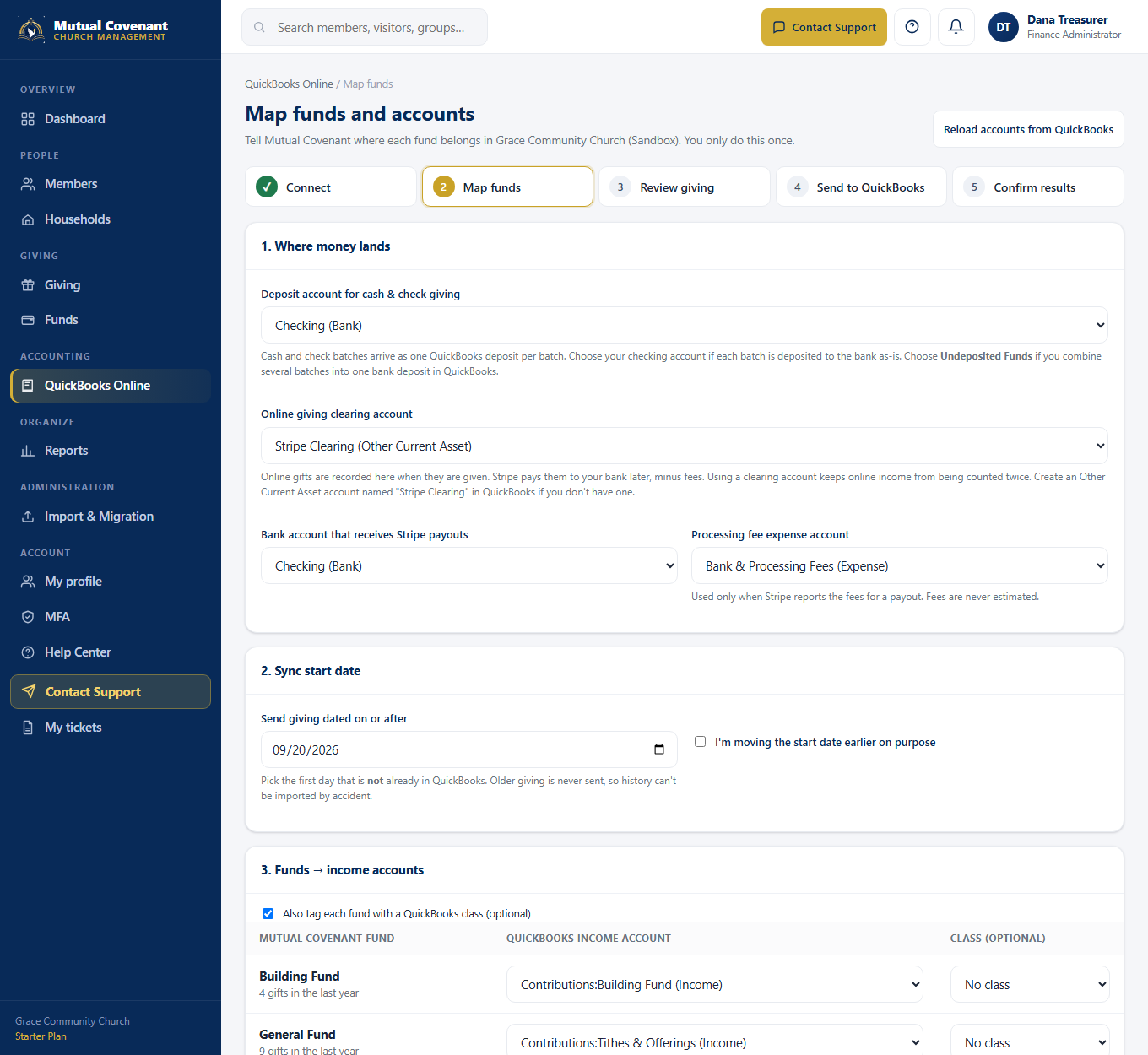
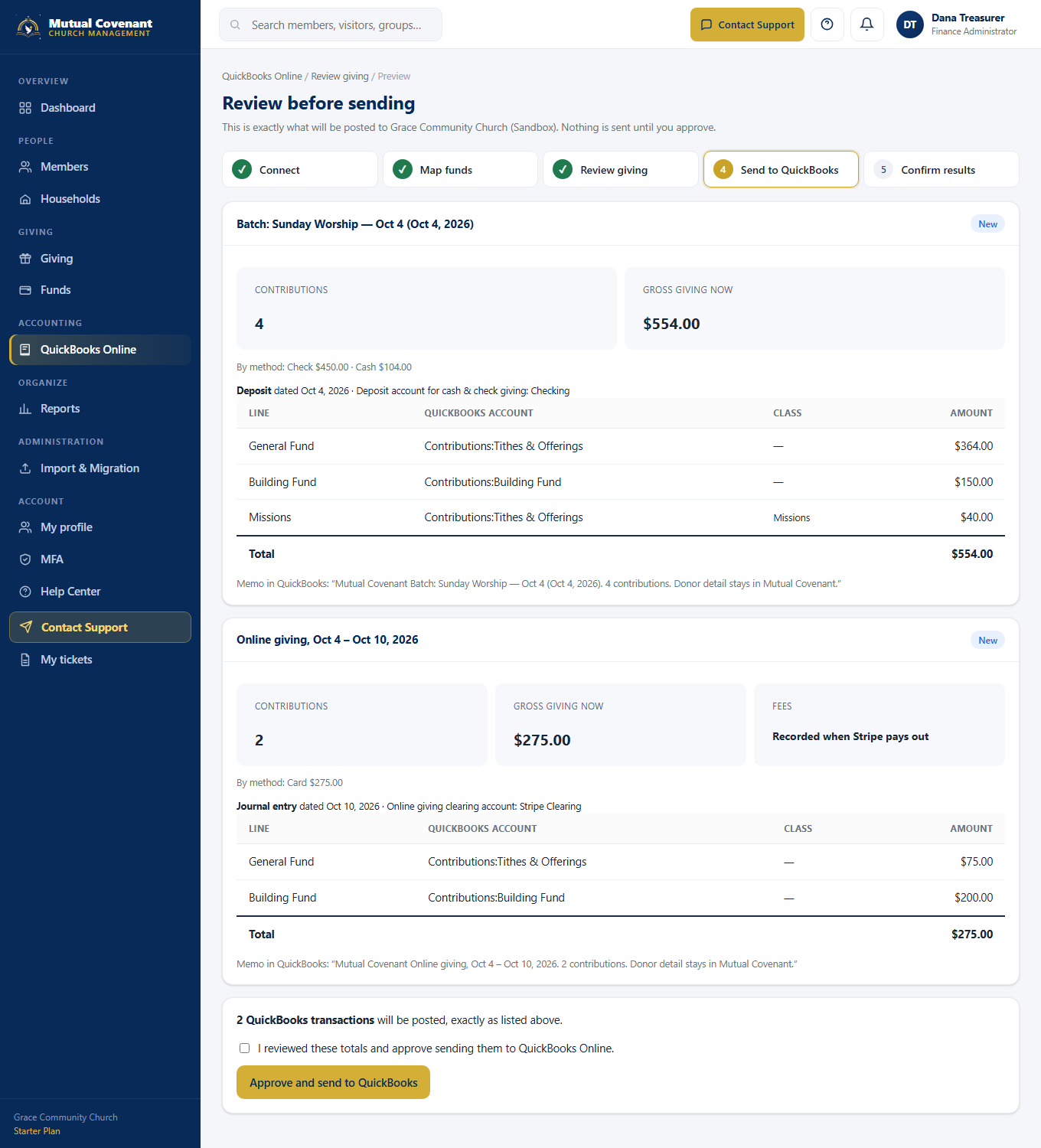
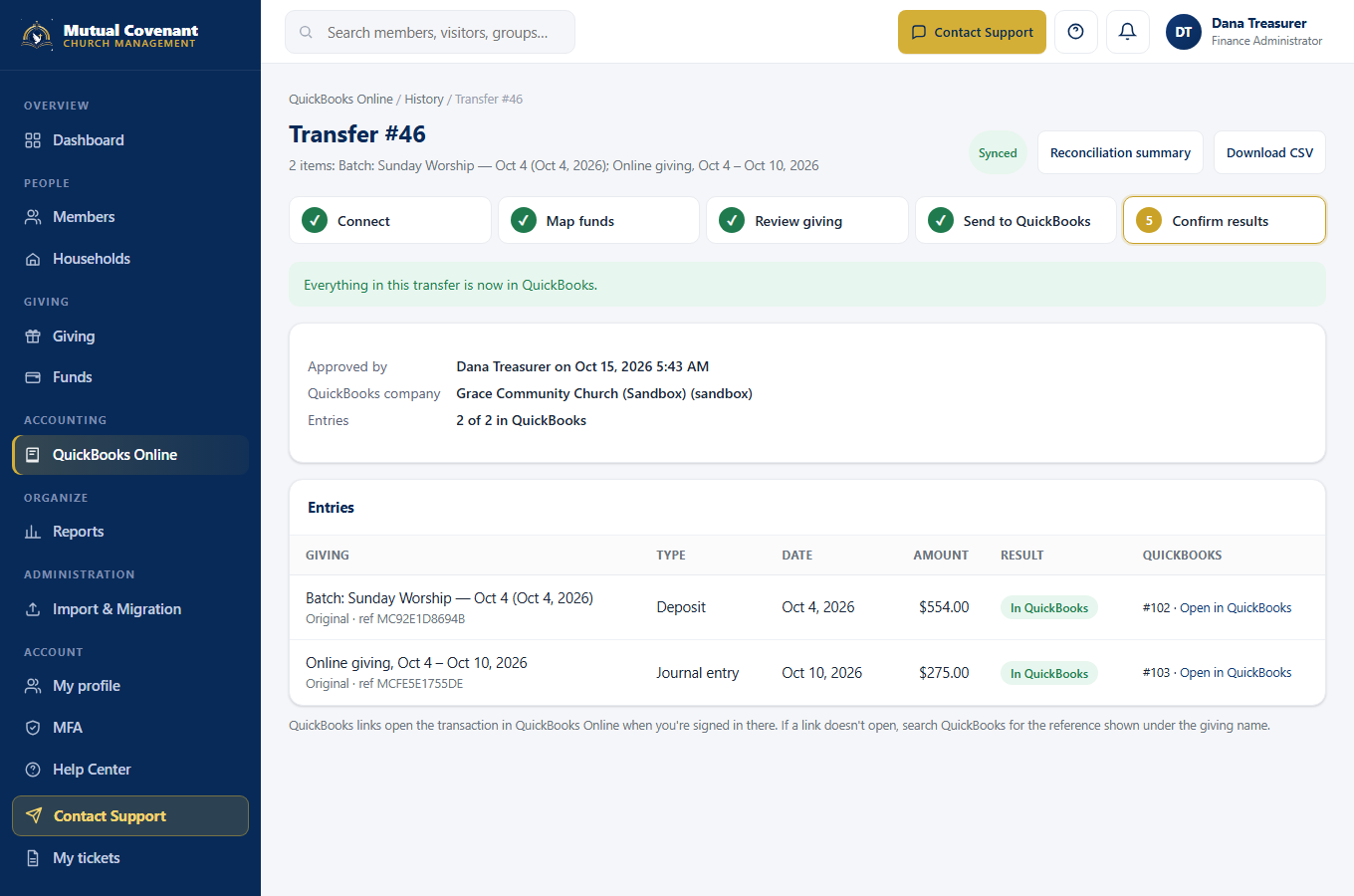
Screens are from Mutual Covenant connected to a test (sandbox) QuickBooks company with sample data.
Supported workflows
- Cash and check giving. Each closed giving batch is sent as one QuickBooks Deposit for the batch total, split by fund. Gifts that aren't in a batch are grouped by week (Sunday–Saturday). This matches how money reaches the bank, so you can match it to your bank feed.
- Online giving through Stripe. Online gifts are recorded as income into a clearing account (for example "Stripe Clearing") by week. When Stripe pays your church, the payout is sent as a Deposit for the exact net amount Stripe deposited, and Stripe's fees are recorded in your fee account. Fees are only recorded when Stripe reports them; they are never estimated.
- Refunds, reversals and corrections. If a gift is reversed, refunded or adjusted after it was sent, Mutual Covenant flags the difference under Needs attention and prepares a correction for the treasurer to approve. Nothing is reposted automatically.
- Reliability. Every transfer has a permanent record that prevents sending the same giving twice. If a connection drops mid-transfer, Mutual Covenant checks QuickBooks before trying again. Failed entries have plain-language explanations and a retry button.
How it avoids counting income twice
Income is recognized once. Cash and check deposits record income and the bank deposit together. Online gifts record income into a clearing account, and the Stripe payout moves that money to the bank without recording income again. In QuickBooks Banking, use Match on the deposit Mutual Covenant sent instead of adding the bank transaction as new income.
What is sent, and what is not
QuickBooks receives accounting totals: dates, amounts per fund, the accounts and classes you chose, and transfer references. Donor names, addresses, pastoral notes, prayer requests and other member information are never sent. Mutual Covenant remains the record for donors and contribution statements.
Subscription requirements
- Any Mutual Covenant plan: Starter, Growth, Pro, Complete. Every plan gets the same integration.
- A separate, active QuickBooks Online subscription purchased from Intuit. QuickBooks itself is not included and is not free.
- Optional class tracking requires a QuickBooks Online edition that supports classes, with class tracking turned on.
- Stripe payout and fee recording requires Mutual Covenant Online Giving.
Current limitations
- QuickBooks Online only. QuickBooks Desktop is not supported.
- One-way: Mutual Covenant sends to QuickBooks. Changes made in QuickBooks are not copied back.
- Giving only. Expenses, payroll, bills and budgets stay in QuickBooks.
- Summarized by fund. Individual donor transactions are not created in QuickBooks.
- U.S. dollars, one QuickBooks company per church.
- Stripe payouts are recorded only when Stripe provides complete, itemized payout details. Otherwise the deposit is left for you to record in QuickBooks.
- Bank-feed matching is done in QuickBooks; Mutual Covenant doesn't read bank feeds.
Security
Connections use Intuit's OAuth sign-in. Access credentials are encrypted, each church's connection and records are isolated from every other church, and connection changes, mapping changes, approvals, transfers and corrections are recorded in the audit log. Specific permissions control who can connect, map, approve and retry.
Start 14-day trial Compare plans
Created by a pastor. Built for churches.
QuickBooks and Intuit are trademarks of Intuit Inc. Mutual Covenant is not affiliated with or endorsed by Intuit.
© 2026 Computer Pro Network LLC. All rights reserved.